
Quick Answer
Prepare receipts for your bookkeeper by collecting every business document in one place, separating personal and business activity, matching receipts to transactions, adding the business purpose where it is not obvious, identifying missing documents, and delivering a consistent monthly package. A clean handoff should include source documents, bank and card statements, notes on unusual transactions, and a list of unresolved questions.
The best time to prepare receipts is throughout the month, not the night before a bookkeeping deadline. A lightweight weekly routine reduces missing deductions, follow-up emails, duplicate entries, and the time your bookkeeper spends reconstructing what happened.
What Your Bookkeeper Actually Needs
A bookkeeper needs enough information to record each transaction accurately and connect it to supporting evidence. A bank or credit-card statement proves that money moved, but it may not explain what was purchased, whether it was a business expense, or which category applies. The receipt or invoice supplies that context.
The IRS lists invoices, receipts, paid bills, account statements, deposit slips, and canceled checks among common supporting documents. Records should be kept in an orderly, safe system that allows the business to substantiate entries on its books and tax return.
| Item | What it should show | Why it matters |
| Receipt or invoice | Vendor, date, items or service, amount, tax | Supports the nature and amount of the expense |
| Bank or card statement | Payee, transaction date, amount | Confirms payment and helps identify missing documents |
| Business-purpose note | Client, project, attendees, or reason | Explains expenses that are not self-evident |
| Exception list | Missing, duplicated, refunded, or disputed items | Lets the bookkeeper resolve issues efficiently |
The Monthly Receipt Preparation Checklist
1. Gather documents from every source
Start with paper receipts, emailed PDFs, online billing portals, mobile-app purchases, shared inboxes, employee submissions, and recurring subscription emails. Do not assume every transaction generated a PDF attachment. Some vendors place a download link in the email or require the customer to sign in.
2. Separate business and personal activity
Move personal receipts out of the business package. If one transaction includes both personal and business items, mark the business portion clearly and explain the split. Mixing activity forces the bookkeeper to ask questions or make assumptions.
3. Match receipts to statements
Work through each bank and credit-card statement and confirm that deductible or business-related charges have supporting documents. Matching catches missing receipts, duplicate charges, refunds, and transactions made through digital wallets that may display a different merchant name.
4. Add context to ambiguous expenses
A restaurant receipt does not explain who attended or why the meeting was business-related. A hardware-store receipt may belong to office maintenance, supplies, client work, or a personal project. Add a short note while the details are still fresh.
5. Standardize file names
Use a naming convention such as YYYY-MM-DD_Vendor_Amount_Category.pdf. The category may be omitted if your bookkeeper prefers to assign it, but the vendor and date should be easy to identify without opening the file.
6. Identify missing documents
Create a short exception list rather than silently omitting a charge. Include the date, vendor, amount, payment account, and what you did to retrieve the missing document. Your bookkeeper can then tell you what alternative evidence may be appropriate.
7. Deliver one organized package
Send a folder or shared workspace rather than a series of separate emails. Use the same structure every month so the bookkeeper knows where to find statements, receipts, invoices, payroll records, and questions.
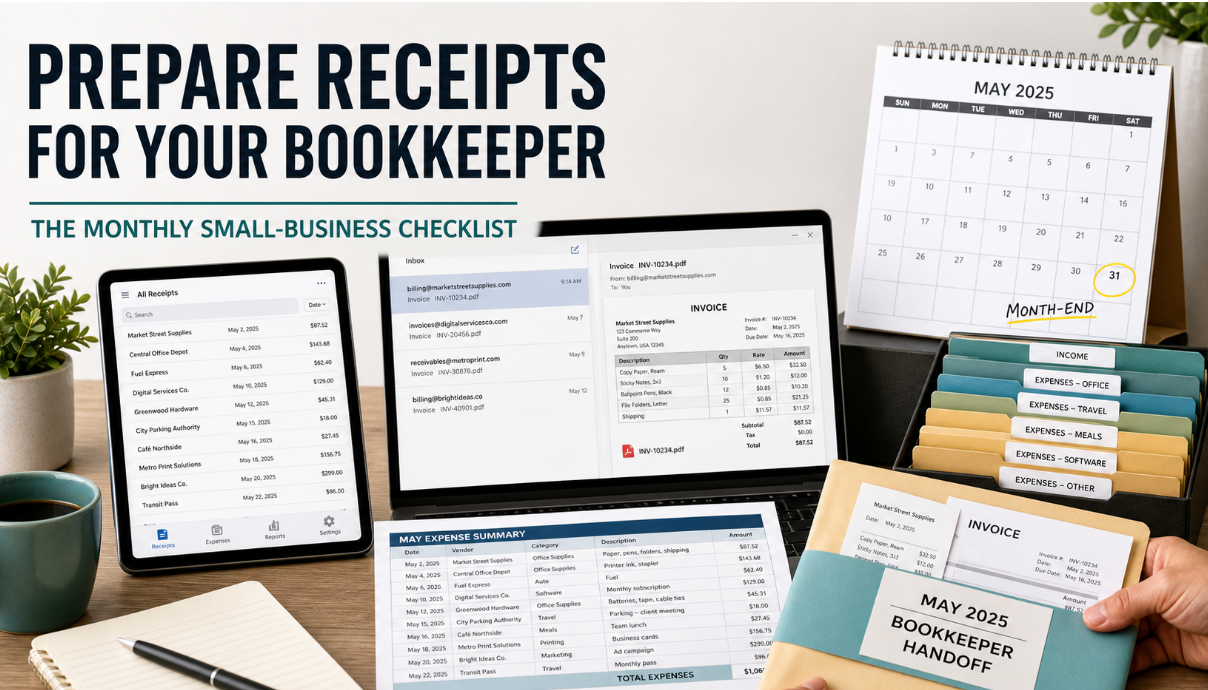
A Simple Monthly Folder Structure
- 01 Bank statements
- 02 Credit-card statements
- 03 Receipts and vendor invoices
- 04 Sales invoices and income records
- 05 Payroll and contractor documents
- 06 Reimbursements
- 07 Questions and missing documents
Within the receipt folder, organize files by month or expense type according to the bookkeeper’s preference. Consistency matters more than choosing the theoretically perfect folder tree.
How Automation Improves the Handoff
The hardest part of monthly bookkeeping is often document collection rather than accounting. Invoices arrive continuously, but the review happens later. A recurring bill can be buried under hundreds of messages by month-end.
An automated expense-tracking workflow can collect emailed invoices and receipts, extract useful details, organize source documents, and give the owner or bookkeeper a more complete starting point. Automation should reduce retrieval work while preserving a review step for uncertain or unusual transactions.
The 15-Minute Weekly Routine
- Empty paper receipts from wallets, bags, vehicles, and workspaces.
- Forward or upload emailed invoices received outside the main business inbox.
- Check new bank and credit-card transactions for missing documents.
- Add business-purpose notes to meals, travel, gifts, mixed purchases, and unusual vendors.
- Review automated extractions and correct any uncertain vendor, date, or amount.
- Update the missing-document list and request replacements while the purchase is recent.
A weekly process keeps the month-end package small. It also makes it easier to remember why a transaction occurred and who was involved.
Questions to Ask Your Bookkeeper
- Which file format do you prefer for receipts and statements?
- Should I categorize expenses or leave categories for you to assign?
- How should I document reimbursements and owner-paid expenses?
- What information do you need for meals, mileage, travel, and mixed-use purchases?
- How should refunds, credit notes, and disputed charges be shown?
- Which records should be uploaded weekly, monthly, quarterly, or annually?
- How long should each type of business record be retained?
What to Do When a Receipt Is Missing
First, search email using the vendor name, amount, date, “receipt,” “invoice,” and attachment filters. Then check the vendor portal, app purchase history, payment processor, and shared company inboxes. Ask the vendor for a replacement when possible.
If the original cannot be recovered, keep the bank or card statement and write a contemporaneous note describing what was purchased and why it was business-related. Whether that evidence is sufficient depends on the expense and applicable rules, so ask the bookkeeper or tax professional rather than assuming.
IRS Publication 583 cautions that proof of payment by itself does not necessarily establish entitlement to a deduction. Other documents may be needed to show that the cost was actually incurred for business purposes.
How Long Should Receipts Be Kept?
There is no single retention period for every business document. The IRS says records should be kept as long as needed to prove income or deductions on a return. Records connected to property may need to be retained while the property is owned and after its disposition, while employment tax records generally must be kept for at least four years.
Electronic records can be appropriate, but they must remain legible, retrievable, and complete. Businesses should confirm retention rules with a tax professional, especially when records involve payroll, assets, amended returns, losses, or state requirements.
Common Receipt-Handoff Mistakes
- Sending dozens of individual email attachments with no folder structure.
- Providing statements without the underlying receipts or invoices.
- Waiting until year-end to explain transactions from many months earlier.
- Renaming every file “receipt” or leaving generic download names.
- Mixing personal spending with business records without annotations.
- Failing to show refunds, reimbursements, or corrected invoices.
- Assuming automated categorization never needs review.
- Changing the delivery method every month.
Frequently Asked Questions
Should receipts be sorted by month or category?
Ask your bookkeeper. Month-first organization usually aligns with reconciliation, while category-first organization can help during tax preparation. A searchable digital system can support both through file names and metadata.
Do I need to send every business receipt?
Give the bookkeeper access to complete business records and let them determine relevance. Omitting documents early can create reconciliation gaps.
Are photos of receipts acceptable?
A clear, complete image may work as an electronic record when it preserves all relevant information and remains retrievable. Keep the entire receipt in frame and verify that the text is legible.
How often should receipts be sent?
Monthly is a common minimum for active bookkeeping. High-volume businesses may benefit from continuous collection and weekly exception review.
Should I categorize receipts myself?
Only if the bookkeeper wants you to. Incorrect categories can create more work than leaving a clear description and business-purpose note.
Final Takeaway
A strong bookkeeper handoff is complete, consistent, and easy to review. Collect receipts from every channel, match them to transactions, explain ambiguous expenses, identify missing documents, and use the same folder structure each month. A brief weekly routine and selective automation can turn month-end bookkeeping from a scavenger hunt into a predictable business process.